Language: Português (BR) · Español
List of IPSC tests in the import hub
The home page at im.scoring.services contains all the tests available in the import system. It is the starting point to open the hub, compare athletes, see overall, combined, graphs and other analyzes linked to each competition.
lista provas ipsc hub provas scoring im scoring services provas importador provas ipsc
Open list of tests
Access the official catalog in the import hub and choose the competition.
Quick actions
Jump straight to import tools and related guides.
What you get on this page
- Single view of all imported tests updated according to the system.
- Search by name, URL or year and ordering to find the right test quickly.
- One click takes you to the test hub with navigation cards for each type of analysis.
- Integration with import, documentation and other tools from the same domain.
Quick summary
- Single view of all imported tests updated according to the system.
- Search by name, URL or year and ordering to find the right test quickly.
- One click takes you to the test hub with navigation cards for each type of analysis.
- See the sections below and the shortcuts to apply to your test or transmission.
How the list is organized
The proofs appear in catalog format, with information that allows you to identify edition, year and direct access. The official documentation describes filters, search and sorting (by year, name or last update).
From catalog to hub
When selecting a race, you enter the hub: athlete search, summary, visual statistics, shortcuts to overall, combined, heat maps, best tracks and track-by-track navigation (stage) — all in the same flow described in the documentation.
Relationship between scoring.services and the im.scoring.services hub
The scoring.services domain contains these IPSC practical shooting guides, educational videos and general tools (calculators, documents). The live list of imported events, the competition search and the hub with combinations, rankings, stage data and graphics are located at im.scoring.services — use the shortcuts on this page to go directly to the catalog and, from there, open each event with one click.
Continue in the Scoring Services ecosystem
This article is part of /guia-ipsc. To apply it in practice, open a test at https://im.scoring.services/list or follow the steps at /matches. Recreational athletes can start with the comprehensive guide at /tiro-practico-guide-completo.
List of tests in the hub
Search by name, year or state; see source (PractiScore, WinMSS, ShootingHouse) and statistics.
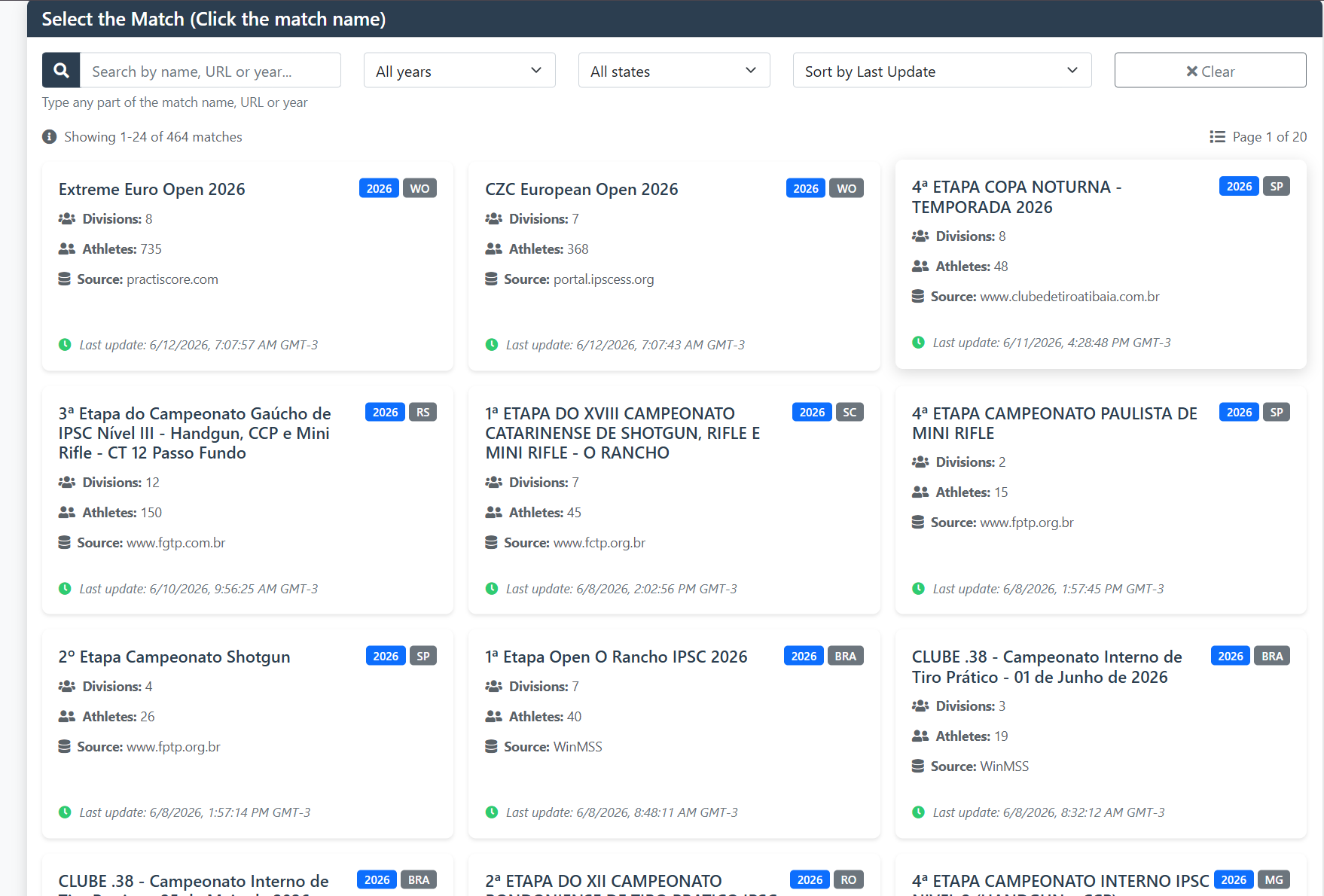
List of tests in the hub
Search by name, year or state; see source (PractiScore, WinMSS, ShootingHouse) and statistics.
List of tests in the hub
Search by name, year or state; see source (PractiScore, WinMSS, ShootingHouse) and statistics.
List of tests in the hub
Search by name, year or state; see source (PractiScore, WinMSS, ShootingHouse) and statistics.
Tools on the IM hub
Direct links to im.scoring.services — match list, import, athlete search, editors, and more.
All hub features
Each card opens a dedicated area of the import and analysis hub.
Division statistics
Compare averages and distributions within the same IPSC division.
Athletes by divisionPlatform statistics
Distribution by division, state, match level and macro view of imported data.
Open platform statsIPSC Stage Designer
Draw stages in the browser — WSB, PDF, materials and RO link.
Open Stage DesignerExplore more in the IPSC guide
Frequently asked questions
Apoiadores


