Language: Português (BR) · Español
Athlete training: record sessions and progress in IPSC
Athlete Training is a web module for setting up training sessions outside of events imported from ShootingHouse. You define simple stages (paper targets, metal targets, shots per target), register the athletes of the day and record several passes per person in each stage — with hit factor, projected time A, evolution graphs and comparison between passes. The tool is located in im.scoring.services; the official documentation is in /docs/treino-atleta on the same domain.
treino do atleta treino ipsc sessão de treino hit factor treino passadas ipsc evolução tiro prático
Open the athlete's training
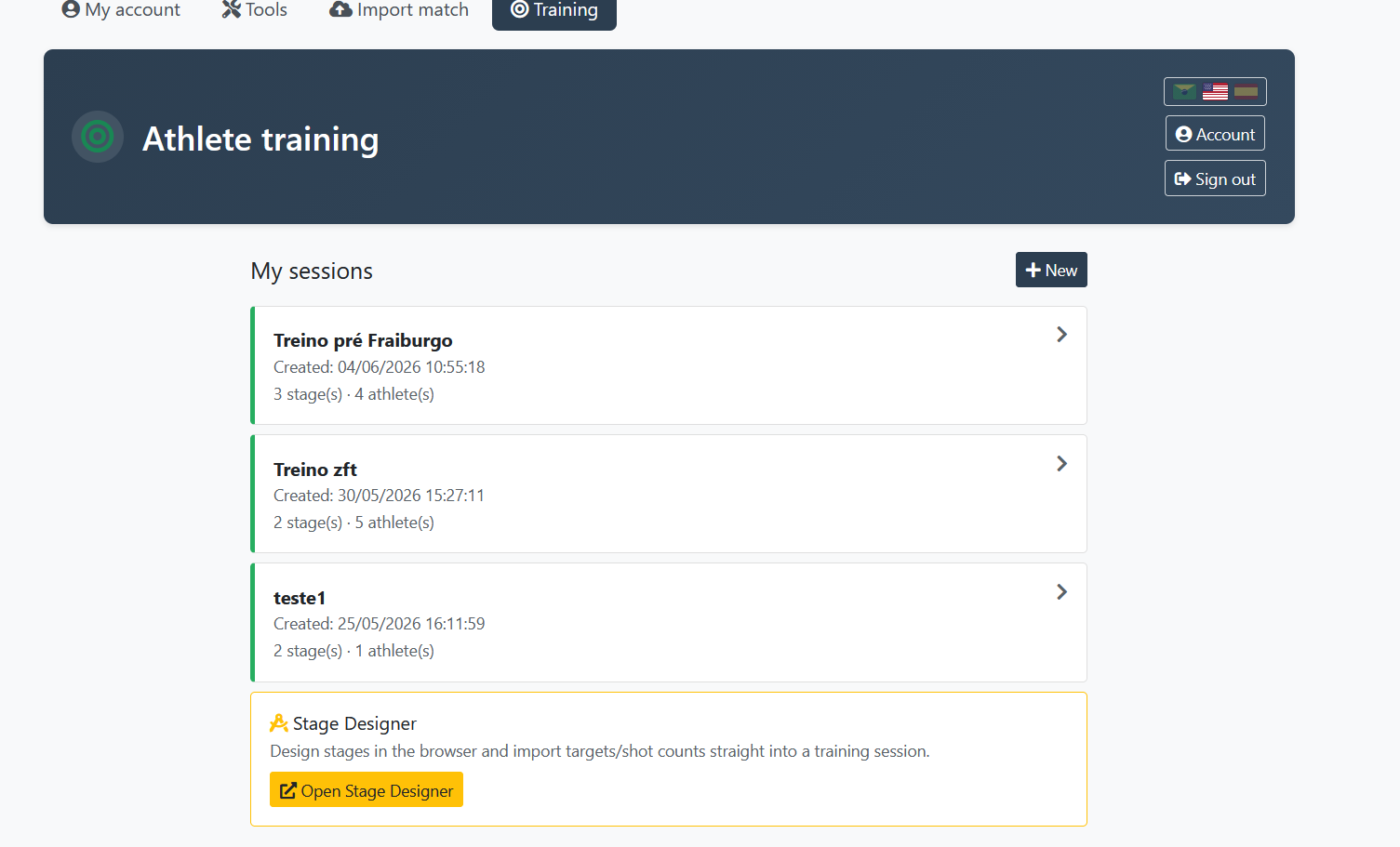
Set up a training session, add stages and athletes, launch passes and follow progress graphs. Login with automatic return to the tool.
Quick actions
Jump straight to import tools and related guides.
What you get on this page
- Training sessions independent of imported competitions — ideal for drills and monitoring at the club.
- Configurable stages: paper, metals, target shots and no-shoot flag.
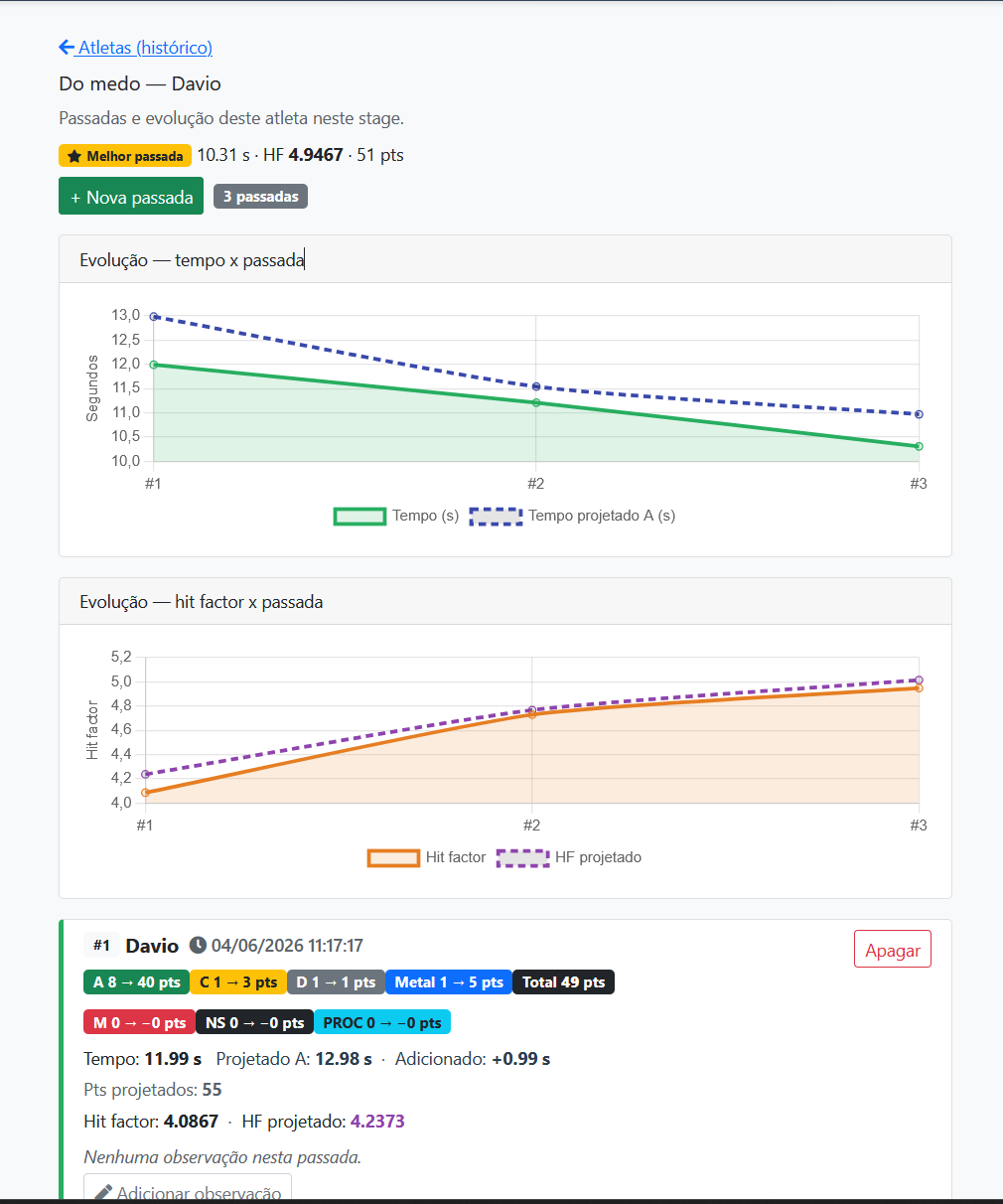
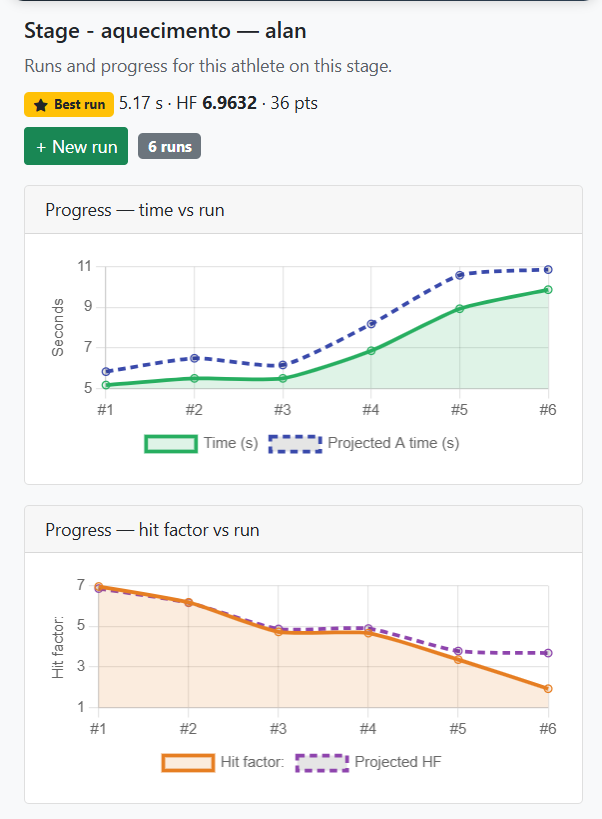
- History with time graphs and hit factor (actual vs. projected) from two passes.
- Compare two passes on the same stage — same athlete or different athletes.
Quick summary
- Input: IPSC Tools → Athlete training or https://im.scoring.services/ferramentas/treino
- Creating workouts and launching strides requires login (any active account — no need to be admin).
- Simplified metrics to compare repetitions; does not replace official test scores.
- Step-by-step guide: https://im.scoring.services/docs/treino-atleta
What is athlete training
It is a module for setting up training sessions outside of events imported from ShootingHouse. You define simple stages, register the athletes for that day and record several passes per person on each stage. Use to compare evolution in the same drill, note conditions (ammunition, weather) and analyze hit factor, projected time A and graphs throughout the repetitions. It does not replace official test scores or PractiScore.
Access, login and where to open
Entry via the IPSC Tools page on the hub (im.scoring.services/ferramentas) → Athlete Training card, or directly at https://im.scoring.services/ferramentas/treino Creating workouts and launching passes requires a logged in user (any active portal account). If you are not logged in, the site redirects to login and returns to training with ?next=/tools/treino. Public consultation of test results continues at scoring.services — see /consulta-ipsc-gratuita-sem-login.
Summary step by step
1) Create training — name, date and general notes. 2) Add stages — paper targets, target shots, metals, no-shoot. 3) Add athletes linked only to this training. 4) Launch on a stage: choose the athlete, fill in the grid, time and observation of the pass, Save. 5) History and graph on the stage (from 2 passes of the same athlete). 6) Compare passes — two executions side by side on the same stage.
Configure stage and launch past
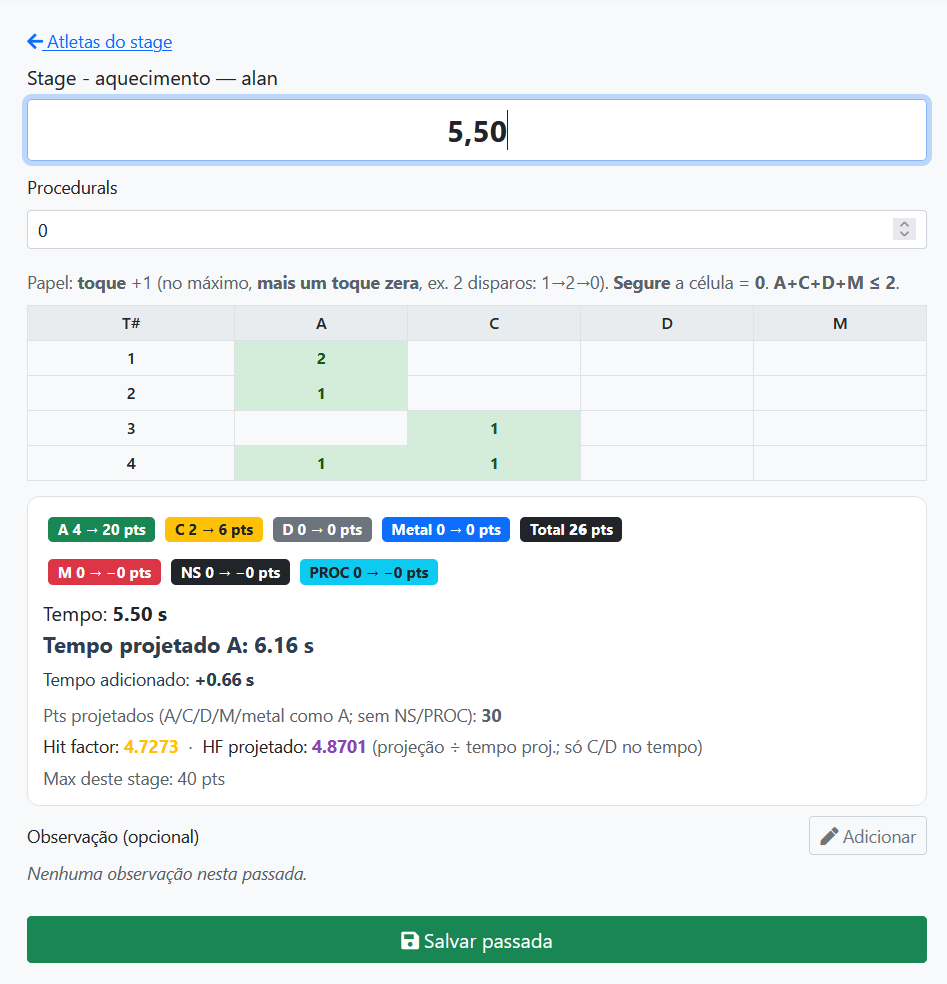
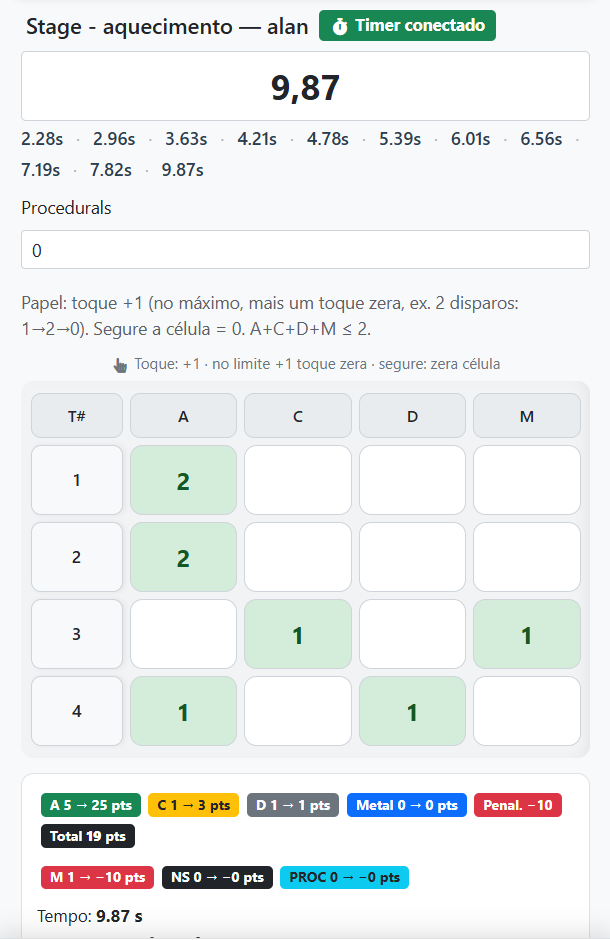
Each stage has a name, number of paper targets, shots per target, metal line (A/M) and no-shoot option. Editing a stage is only allowed if there is no past in that stage. On the grid: tap +1 to increment; at the limit, one more touch resets; hold the cell to reset. M, NS and PROC deduct 10 points each from the actual total. Time in seconds (comma or period). Observation per pass of up to 500 characters; general training notes up to 2000.
Metrics: hit factor and projected time A
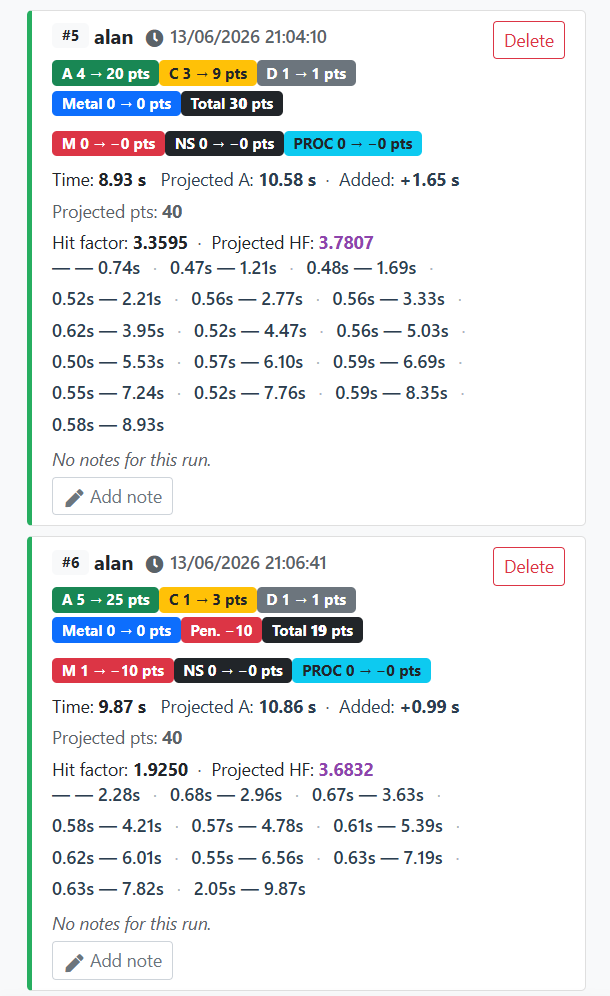
Hit factor = max(0, raw − (M+NS+PROC)×10) ÷ time, with raw = A×5 + C×3 + D×1 + Metal×5. Added time = C×0.33 s + D×0.66 s. Projected time A = actual time + added time. Projected HF uses (A+C+D+M+metal as A)×5 ÷ projected time A; NS and PROC do not enter. These are simplified fixed rules for comparing repetitions on the same stage — the official test HF may differ.
Training vs imported test
ShootingHouse tests and analyzes on the IM hub answer “how it was in the competition”. The training answers “how I progress in this drill on a daily basis”. Combine: post-test in /summary-of-proof-ipsc and /dados-por-stages-ipsc; recurring training at im.scoring.services/ferramentas/treino; trend between various tests in /ranking-elo-ipsc.
Official documentation
The complete guide with tables, interface tips and FAQs is at https://im.scoring.services/docs/treino-atleta — technical mirror of this landing on scoring.services. General index: https://im.scoring.services/docs My account (profile, password, shortcuts): https://im.scoring.services/conta
Continue in the Scoring Services ecosystem
IPSC Guide: /ipsc-guide. Analysis tools: /tools-analysis-practical-shooting. Compare athletes in competitions: /comparacao. Import results: /importar-prova-ipsc.
Athlete training — sessions
Create sessions, add stages and athletes; integrate with Stage Designer.
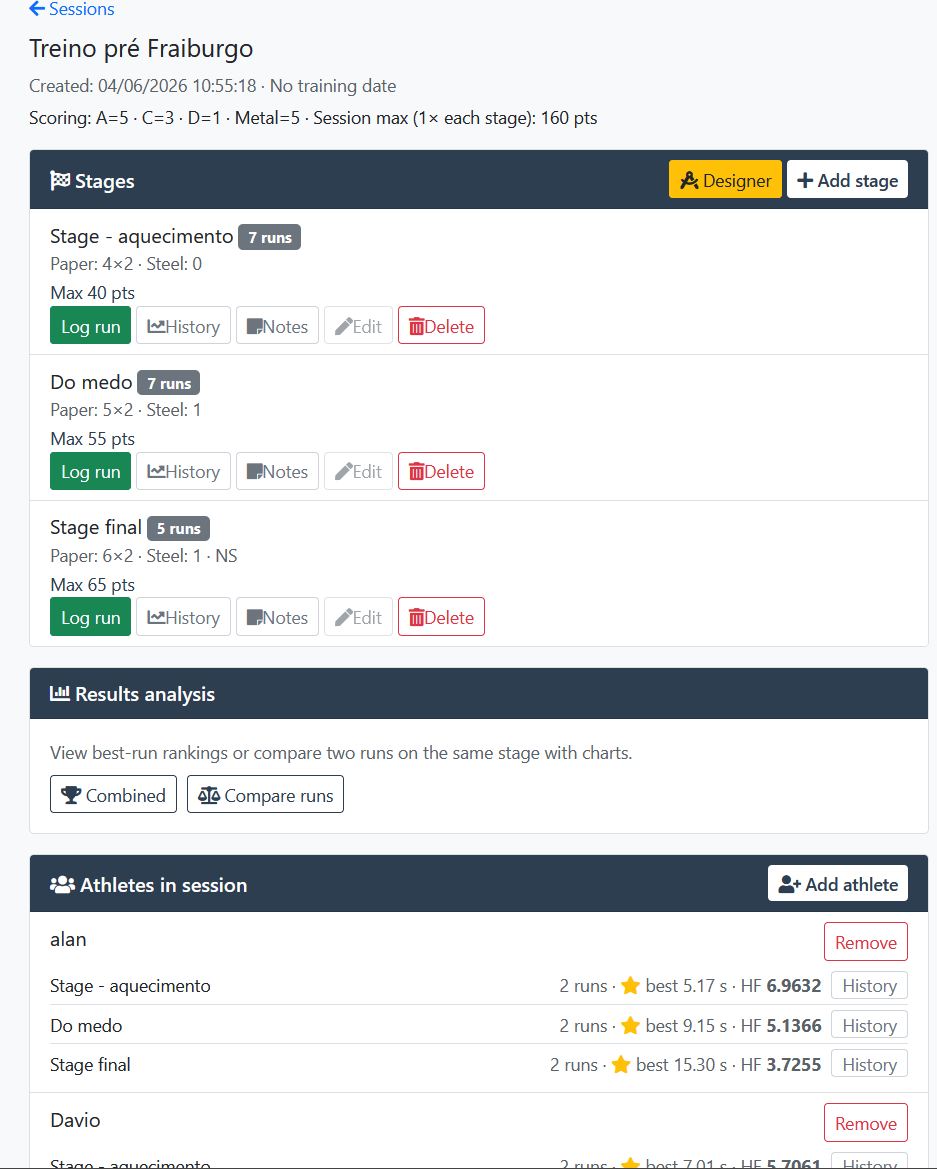
Session setup
Define tracks, targets, passes and track the best HF per athlete.
Evolution by step
Real vs projected time and hit factor graphs between repetitions.
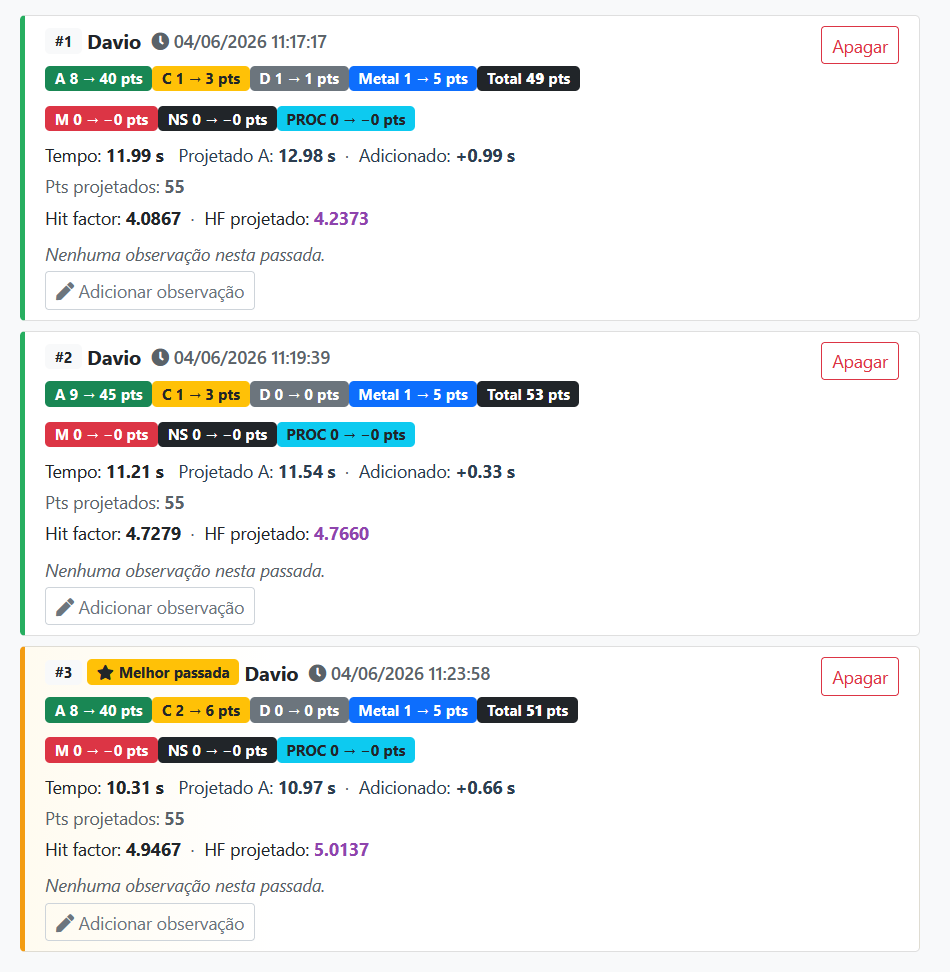
Past history
Each pass with A/C/D/M breakdown, tempo, HF and highlight of the best.
Passing throw
Mobile interface for time, hits per target and automatic HF calculation.
BLE timer in training
Connect Bluetooth chronograph and automatically record splits in your stride.
Tools on the IM hub
Direct links to im.scoring.services — match list, import, athlete search, editors, and more.
All hub features
Each card opens a dedicated area of the import and analysis hub.
Division statistics
Compare averages and distributions within the same IPSC division.
Athletes by divisionPlatform statistics
Distribution by division, state, match level and macro view of imported data.
Open platform statsIPSC Stage Designer
Draw stages in the browser — WSB, PDF, materials and RO link.
Open Stage DesignerExplore more in the IPSC guide
Frequently asked questions
Apoiadores


