Language: Português (BR) · Español
IPSC results with full test reading
Understand how to read the combined results, identify opportunities by stage and share complete analyzes of your test.
resultados ipsc combinado ipsc stage ipsc pista ipsc ranking ipsc percentual divisão ipsc análise de prova tiro prático
Open results in IM hub
Choose an imported test and browse the combination, ranking, stages and graphics in the same flow.
Quick actions
Jump straight to import tools and related guides.
Guide: combined results
Understand the agreement before exploring the test in the hub.
Read the deal pageWhat you get on this page
- Interpretation of the combine by athlete and by division.
- Detailed hits, penalties and hit factor per stage.
- Quick comparison to identify points and time gains.
Quick summary
- Interpretation of the combine by athlete and by division.
- Detailed hits, penalties and hit factor per stage.
- Quick comparison to identify points and time gains.
- See the sections below and the shortcuts to apply to your test or transmission.
Combined results without losing context
The combination aggregates all the tracks (stages) of the race: you see, per athlete, the total of points, the total time, the global hit factor and, in many reports, the percentage compared to the best in the division — the link between “how I did on each track” and the overall position.
Data by stages for technical decision
When opening the data by stage, you see hits A, C and D and penalties M (miss), NS (did not shoot) and PROC (procedure) per section of the test. This cut helps to separate loss of points due to pace, precision or execution error — something that the overall alone does not make clear.
Complete test hub
In the race hub, you browse rankings, graphs, heat maps, combined, data by track (stage) and athlete details. Thus, the result is no longer just a table and becomes an actionable analysis at IPSC.
Continue in the Scoring Services ecosystem
This article is part of /guia-ipsc. To apply it in practice, open a test at https://im.scoring.services/list or follow the steps at /matches. Recreational athletes can start with the comprehensive guide at /tiro-practico-guide-completo.
Recommended reading flow
Start at /summary-of-proof-ipsc, go deeper into /dados-por-stages-ipsc and end with /como-improve-ipsc. For scoring theory: /o-que-e-hit-factor-ipsc and /resultados-combinados-ipsc.
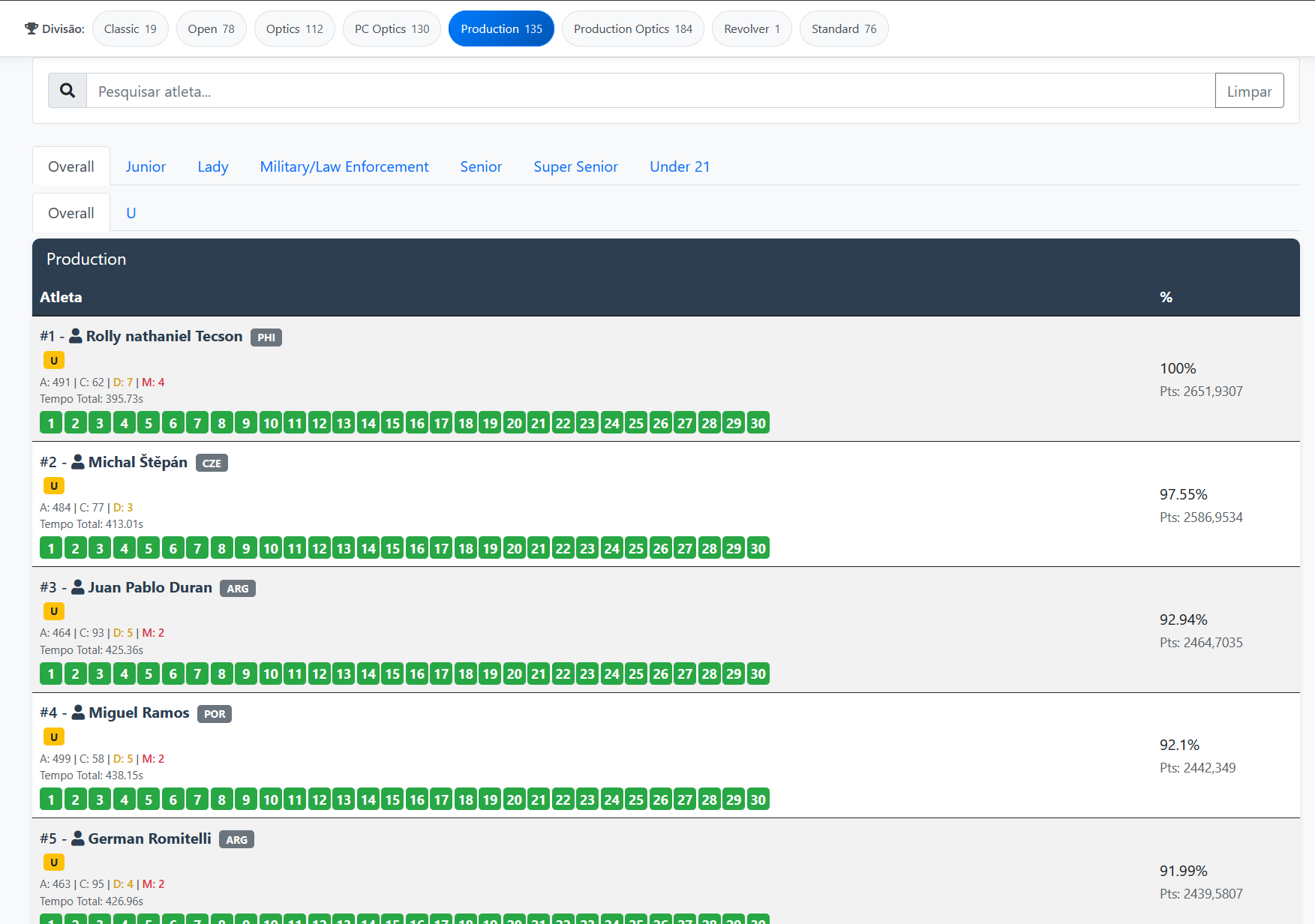
Overall by division
General classification with filters by division and category, hit breakdown and progress by stage.
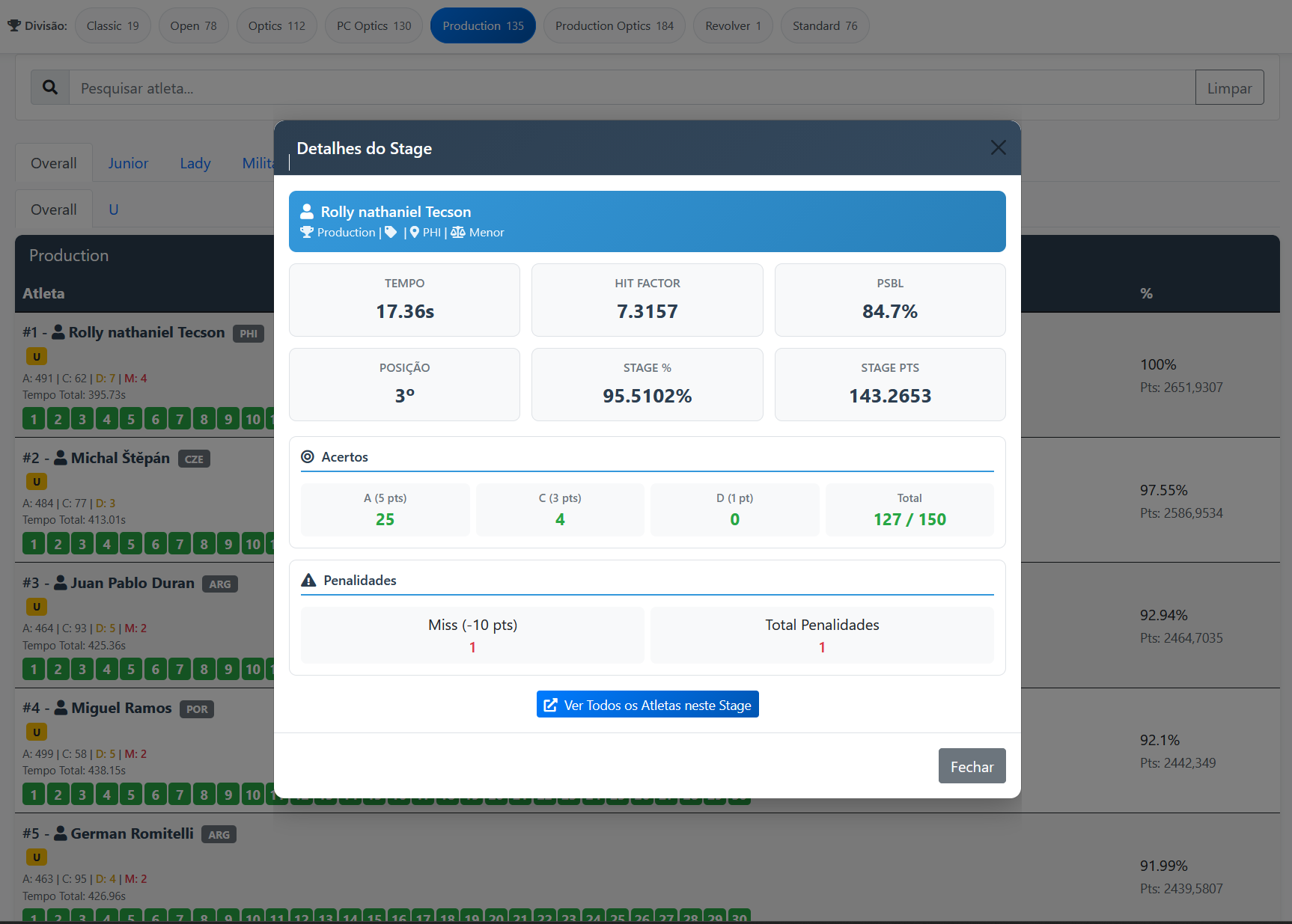
Stage detail in the overall
Tap a stage to see time, hit factor, hits and the athlete's position on the track.
Overall by division
General classification with filters by division and category, hit breakdown and progress by stage.
Stage detail in the overall
Tap a stage to see time, hit factor, hits and the athlete's position on the track.
Overall by division
General classification with filters by division and category, hit breakdown and progress by stage.
Stage detail in the overall
Tap a stage to see time, hit factor, hits and the athlete's position on the track.
Overall by division
General classification with filters by division and category, hit breakdown and progress by stage.
Stage detail in the overall
Tap a stage to see time, hit factor, hits and the athlete's position on the track.
Tools on the IM hub
Direct links to im.scoring.services — match list, import, athlete search, editors, and more.
All hub features
Each card opens a dedicated area of the import and analysis hub.
Division statistics
Compare averages and distributions within the same IPSC division.
Athletes by divisionPlatform statistics
Distribution by division, state, match level and macro view of imported data.
Open platform statsIPSC Stage Designer
Draw stages in the browser — WSB, PDF, materials and RO link.
Open Stage DesignerExplore more in the IPSC guide
Frequently asked questions
Apoiadores


