Language: Português (BR) · Español
ELO Ranking for IPSC
The ELO ranking translates performance in competitions into a comparable rating between athletes, with a view by modality and division and history of evolution. The official interface is in the import hub (im.scoring.services), with detailed documentation about rules and references.
ranking elo ipsc elo ipsc brasil classificação elo tiro prático rating ipsc scoring services
Open ELO ranking
Access the interactive tool in the import hub and follow progress per athlete.
Quick actions
Jump straight to import tools and related guides.
What you get on this page
- Interactive ranking with filters by modality and division.
- Search for athlete and list of events considered in the calculation.
- Modal with ELO evolution and comparisons.
- Theoretical base aligned with the Elo system and extensions used in sports.
Quick summary
- Interactive ranking with filters by modality and division.
- Search for athlete and list of events considered in the calculation.
- Modal with ELO evolution and comparisons.
- See the sections below and the shortcuts to apply to your test or transmission.
What the ELO ranking shows
You see a coherent ordering of relative performance, useful for tracking progress over time and comparing athletes competing in the same category (for example, the same division). The official page contains tables, searches and details per athlete.
High level calculation
The model follows the classic idea of updating based on expected versus observed results: the rating rises when performance exceeds expectations and falls when it falls below expectations. Parameters (such as K and scope of evidence) can be refined; Therefore, the numbers may evolve according to the normalization of names, sources and rules — as described in the platform documentation.
Documentation and transparency
In the complete documentation there is a section dedicated to the ELO ranking, with academic references and links for additional reading about the Elo system and variants. We recommend reading before interpreting specific variations between model versions.
Continue in the Scoring Services ecosystem
This article is part of /guia-ipsc. To apply it in practice, open a test at https://im.scoring.services/list or follow the steps at /matches. Recreational athletes can start with the comprehensive guide at /tiro-practico-guide-completo.
ELO vs single stage score
The official score is from the race; ELO summarizes history in several imported tests. Tool: https://im.scoring.services/atleta/elo — theory on this page.
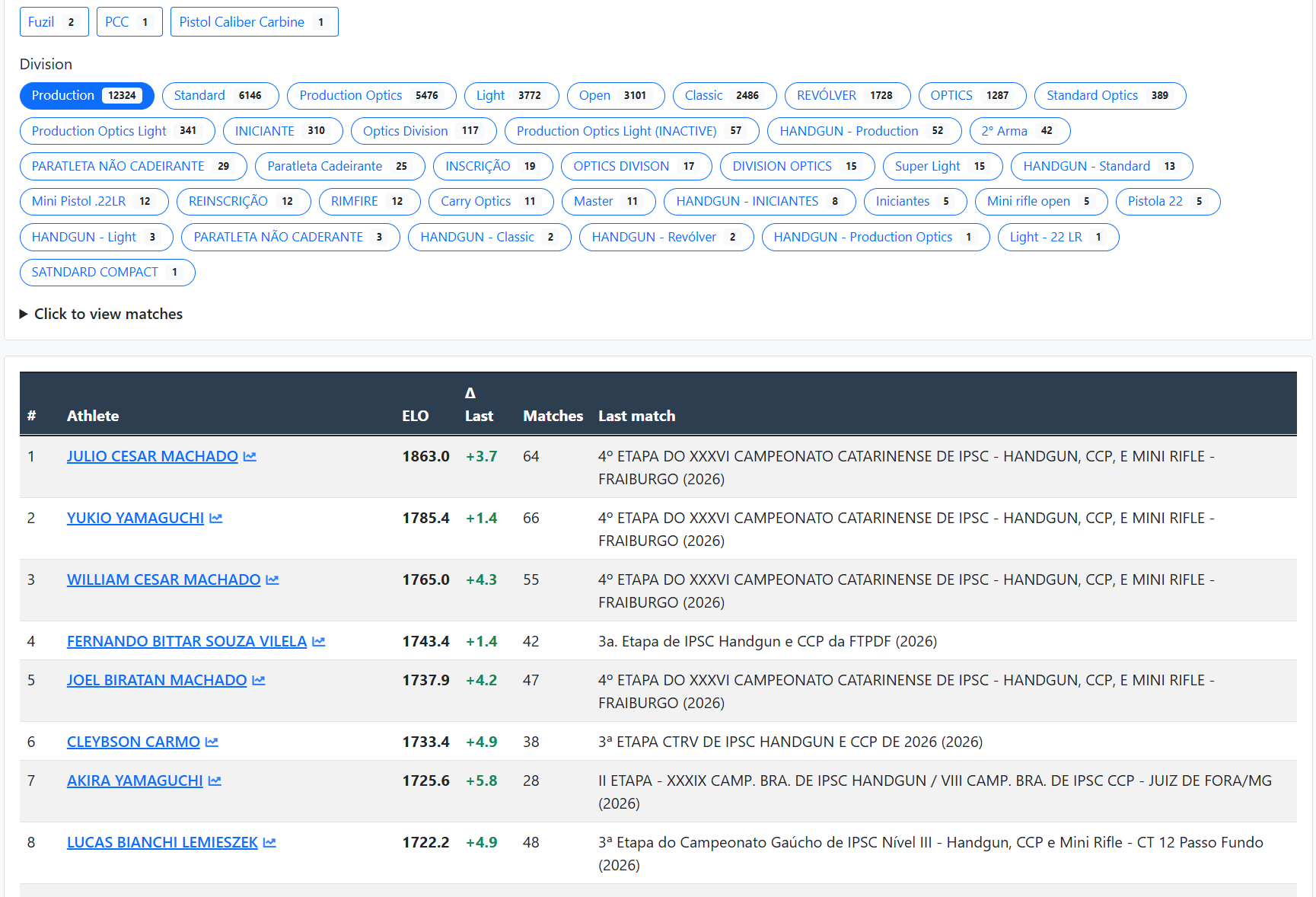
ELO ranking by division
Filters by division and weapon; table with ELO, variation, tests and last stage.
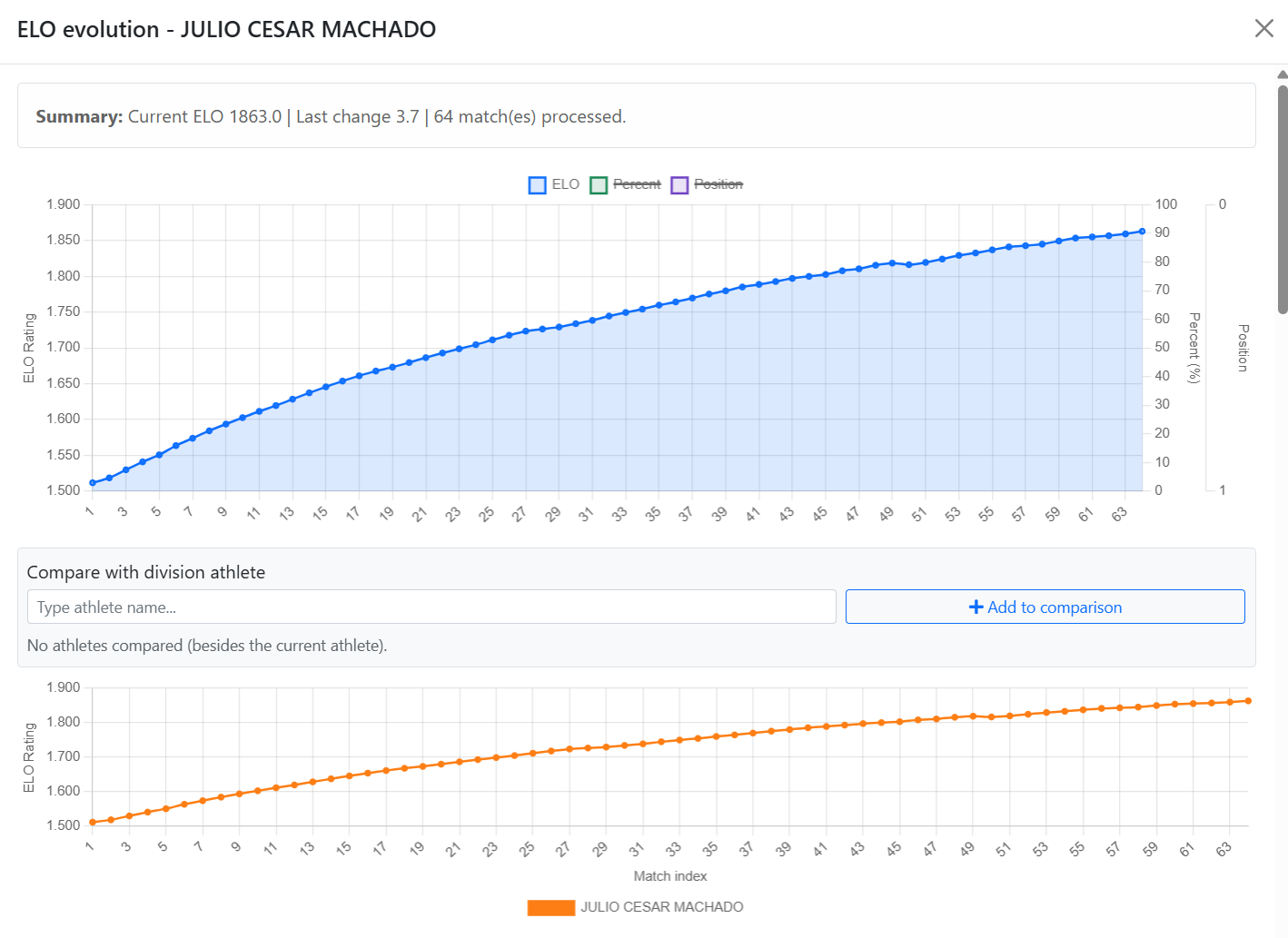
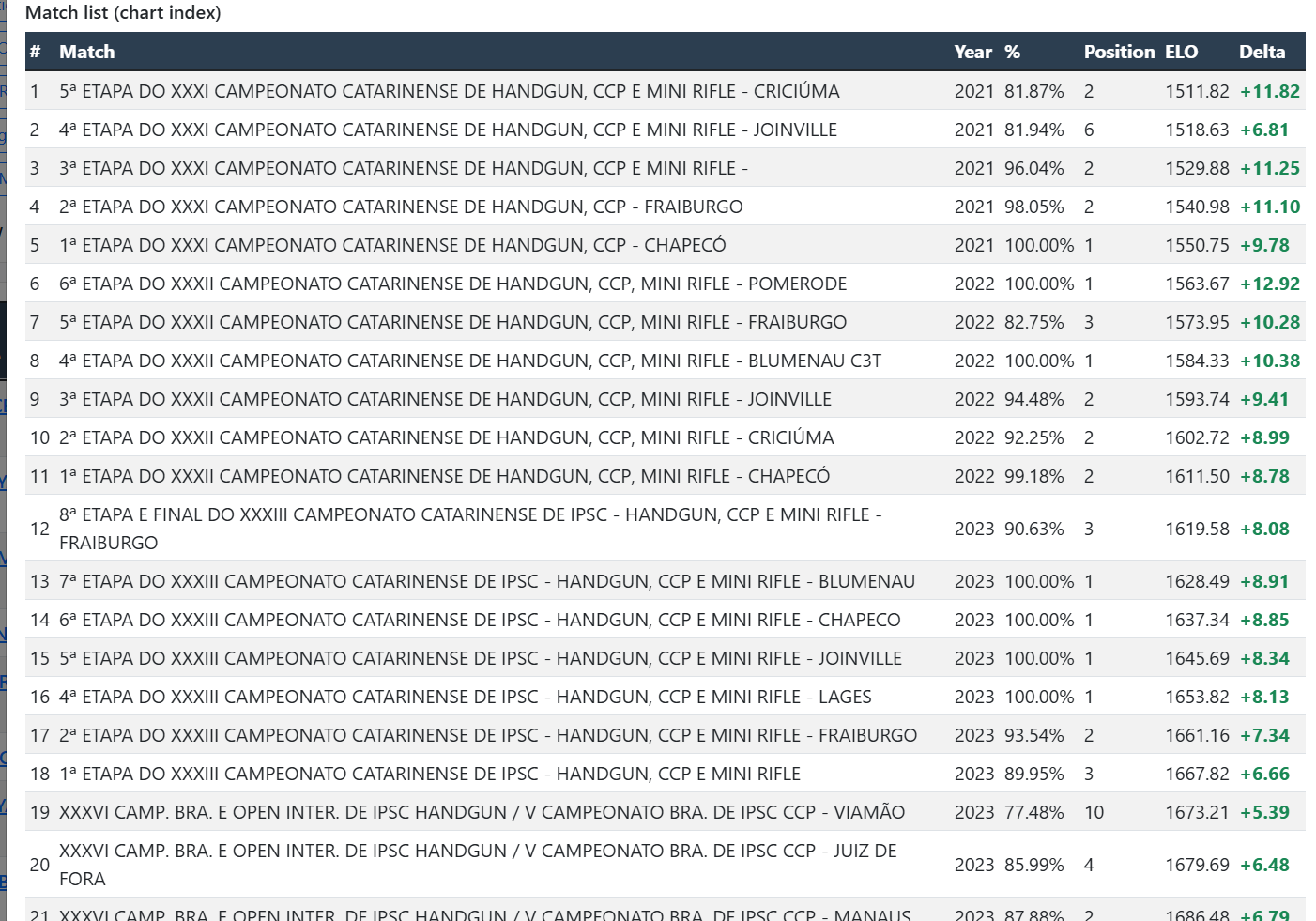
Athlete's ELO evolution
Line graph and list of tests that make up the rating.
ELO ranking by division
Filters by division and weapon; table with ELO, variation, tests and last stage.
Athlete's ELO evolution
Line graph and list of tests that make up the rating.
ELO ranking by division
Filters by division and weapon; table with ELO, variation, tests and last stage.
Athlete's ELO evolution
Line graph and list of tests that make up the rating.
ELO ranking by division
Filters by division and weapon; table with ELO, variation, tests and last stage.
Athlete's ELO evolution
Line graph and list of tests that make up the rating.
Tools on the IM hub
Direct links to im.scoring.services — match list, import, athlete search, editors, and more.
All hub features
Each card opens a dedicated area of the import and analysis hub.
Division statistics
Compare averages and distributions within the same IPSC division.
Athletes by divisionPlatform statistics
Distribution by division, state, match level and macro view of imported data.
Open platform statsIPSC Stage Designer
Draw stages in the browser — WSB, PDF, materials and RO link.
Open Stage DesignerExplore more in the IPSC guide
Frequently asked questions
Apoiadores


